
Can you say what DNS stands for — but not actually explain what happens when a website fails to load?
That gap is exactly what leaves IT beginners stuck troubleshooting blind, restarting routers and hoping the problem fixes itself instead of diagnosing it. Most resources define acronyms like DNS, DHCP, and SMTP without ever showing you how they work together to load a page, deliver an email, or connect two devices. This book fixes that by tracing real requests end to end and having you configure the actual services yourself, from your first home lab to a complete office network.
Inside, you’ll learn:
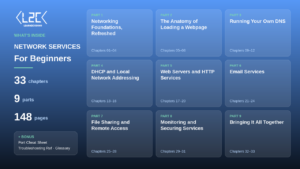
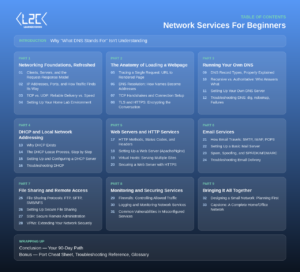
- What genuinely happens between typing a URL and seeing a rendered page — DNS resolution, TCP handshakes, and TLS/HTTPS encryption
- How to set up and troubleshoot your own DNS and DHCP servers, including record types and the full DHCP lease process
- How to configure real web servers (Apache/Nginx) with virtual hosts and HTTPS, and how HTTP methods, status codes, and headers actually work
- How email really travels via SMTP, IMAP, and POP3, plus how to stop spoofing and spam with SPF, DKIM, and DMARC
- Secure file sharing (FTP, SFTP, SMB/NFS), SSH remote administration, and VPNs for extending a network safely
By the end, you’ll know how to secure services with firewalls, monitor and log network activity, and spot common misconfiguration vulnerabilities — then apply all of it in your capstone project: designing and building a complete home or office network from the ground up.
Stop memorizing what acronyms stand for. Get your copy today and start running network services you actually understand.
Reviews
There are no reviews yet.